

|
|
|
|
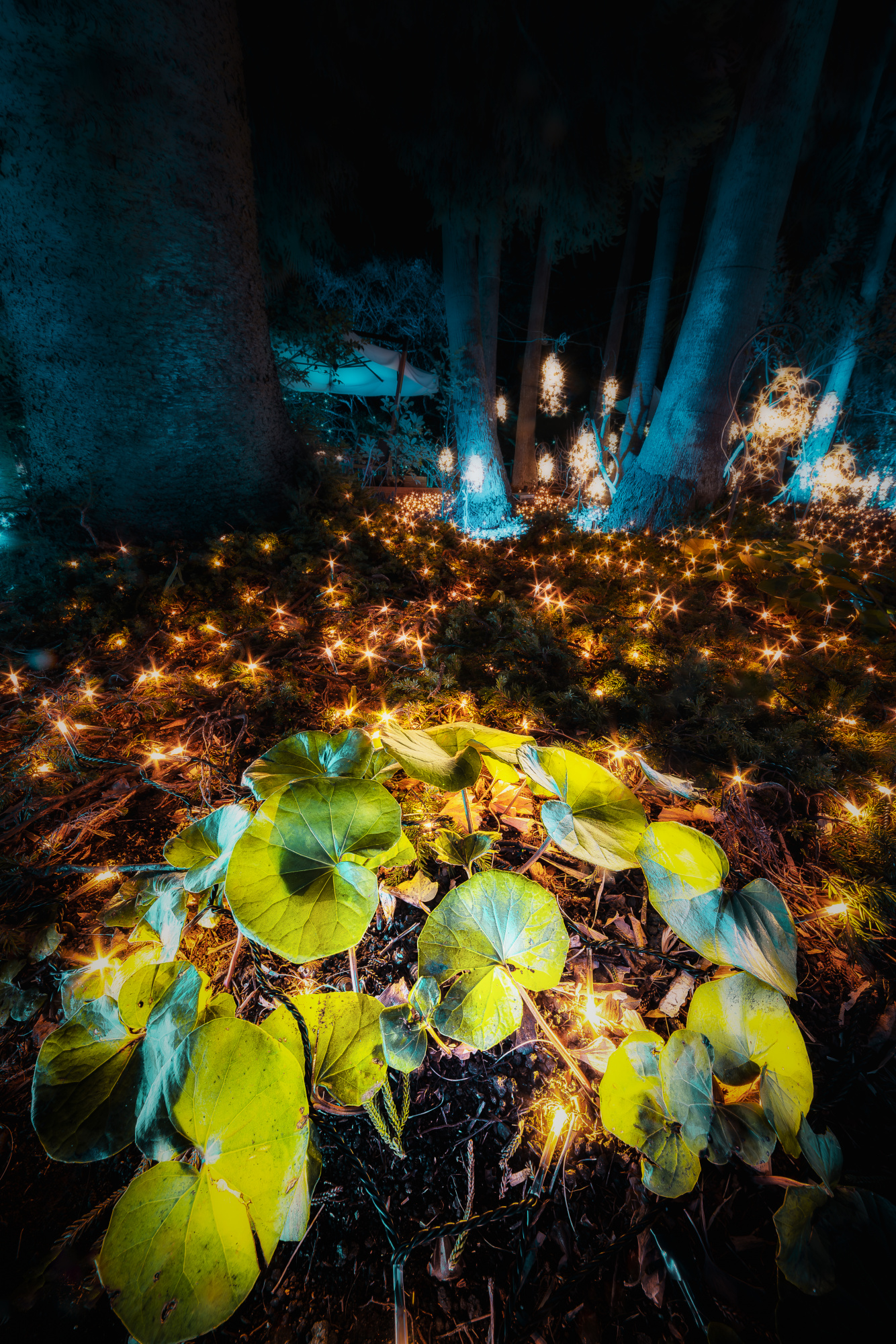
12mm,F8.0,ss 30s,ISO100
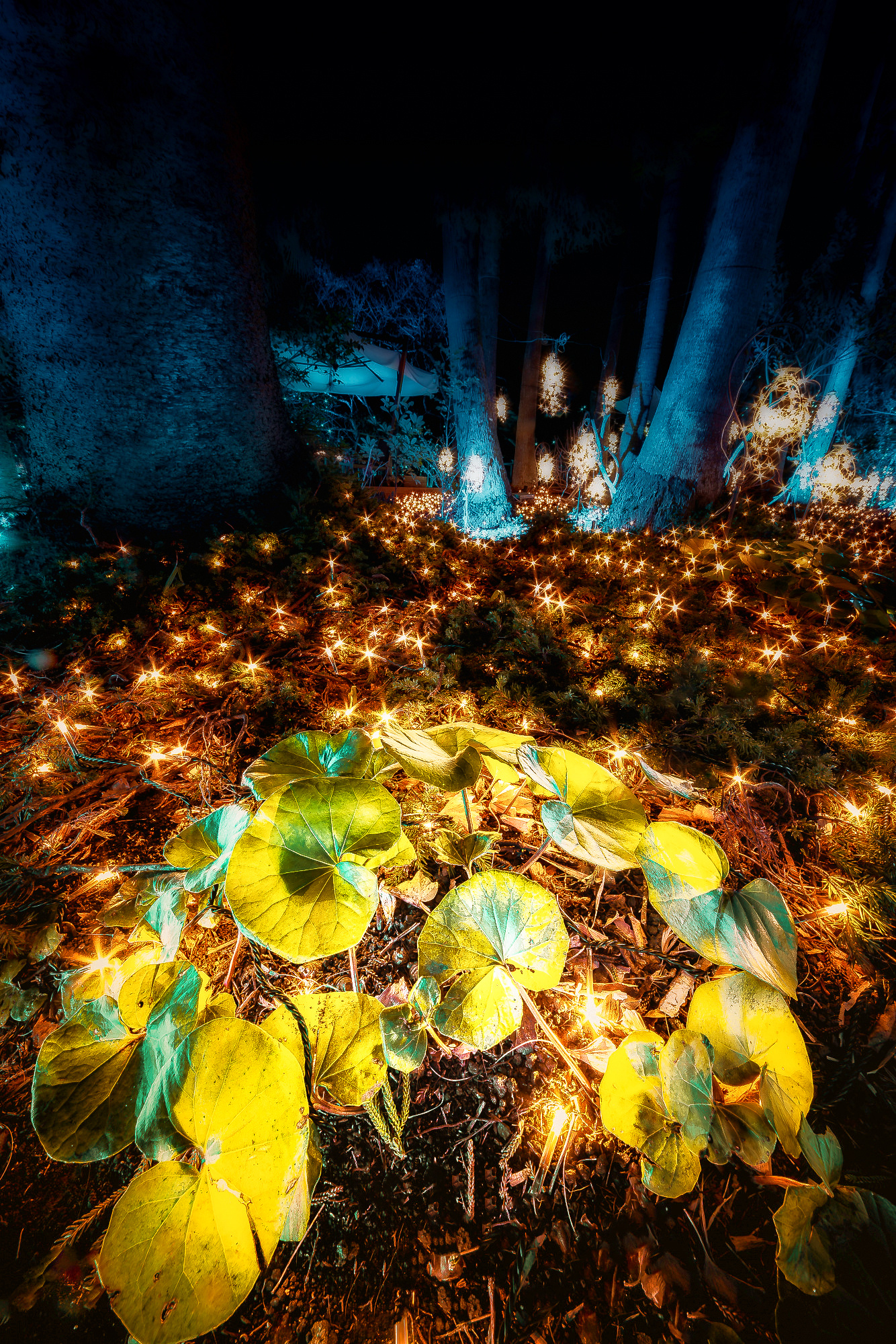
The photo was taken at a place where the illumination was taking place. Since there were large leaves among the many trees and lawns, I used the large leaves as my subject. To emphasize the subject, I took advantage of the super wide-angle perspective effect. By placing the large leaves at the bottom of the photo and the grass and many trees in the surrounding area, I created an atmosphere as if the subject were in a fairy forest.
During editing, the clarity and texture of the leaves, the main subject of the photo, were increased and emphasized. The foliage was also made brighter than the surrounding area. On the other hand, the surrounding area was made less clear to create a softer atmosphere. In addition, the brightness of the shadow areas in the peripheral areas is generally lowered.

Hello again,
Here are my suggestions:
to enhance the fairytale forest effect, I copied the right half of the trees and pasted them mirrored into the left side and I cropped the picture in a 3:4 golden ratio.
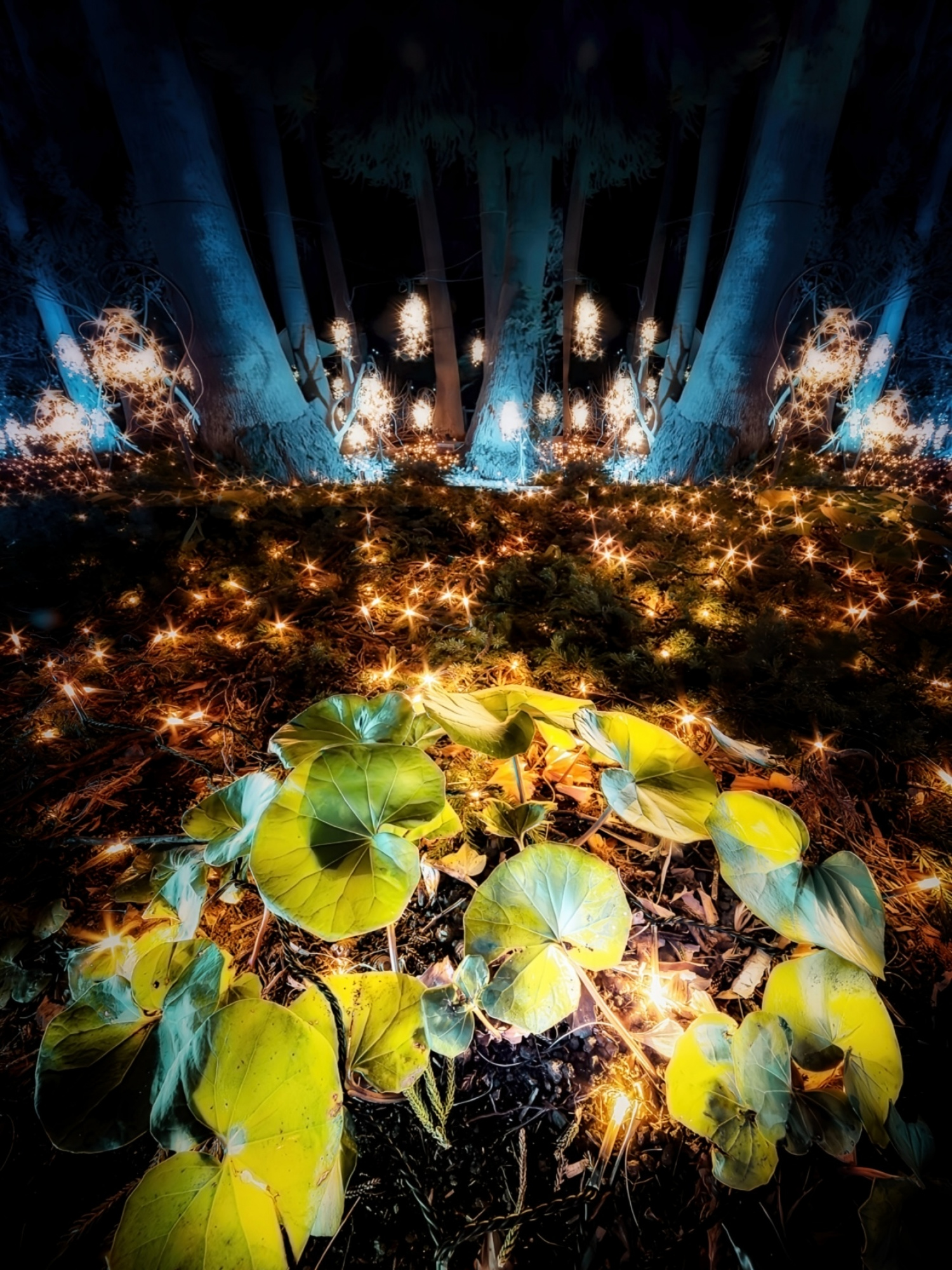
In all such work, I just follow my instincts, which is of course different for everyone.
Greetings
Udo
(editing with photoshop elements)
What a surprise! I am amazed at an idea that I could never have imagined! I had wanted to remove the huge tree on the left. I learned a new way of thinking and it is going to have a great impact on my future growth. Thank you!
Glad I could help you!
Hello I_ha_to
Thank you for submitting your photo to this forum.
The light always tempts you to take a shot. I think the approach to taking the photo is correct. I only missed a few details in the editing.
First of all, the light frame remained in the foreground. My suggestion - remove it.
Secondly, despite the beautiful colors and colors of light and vegetation, the photo is a bit bland. I decided to liven them up by selectively adding yellow and blue colors.
I carried out all activities in PSCC2024.
Regards
Slawomir Kowalczyk - SC.
